Before You Download Focus Lens, Read This
Focus Lens is not just a tool. It is a disciplined approach to achieving real B2B sales and marketing results. If your goal is to stop chasing noise, identify the Right Contact Window, and build meaningful business relationships, take two minutes to understand the philosophy behind it.
Download & Prepare Folder
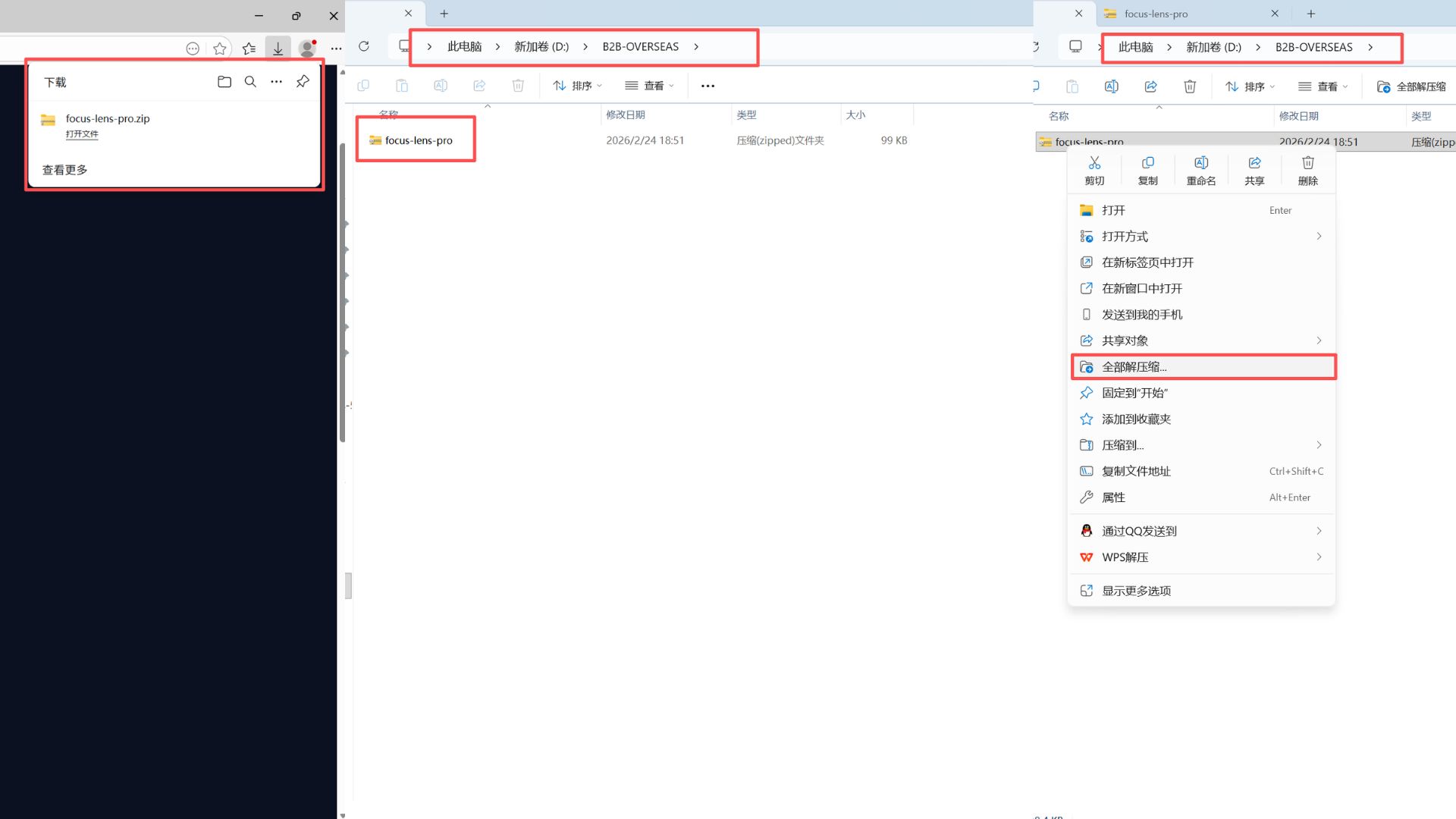
1. Click the button below to download the focus-lens-pro.zip package.
2. Important: Move the zip file to a permanent location (like your Documents folder). Do not leave it in "Downloads".
3. Right-click the file and select "Extract All" or "Unzip". You should now see a folder named focus-lens-pro.
Access Extension Settings
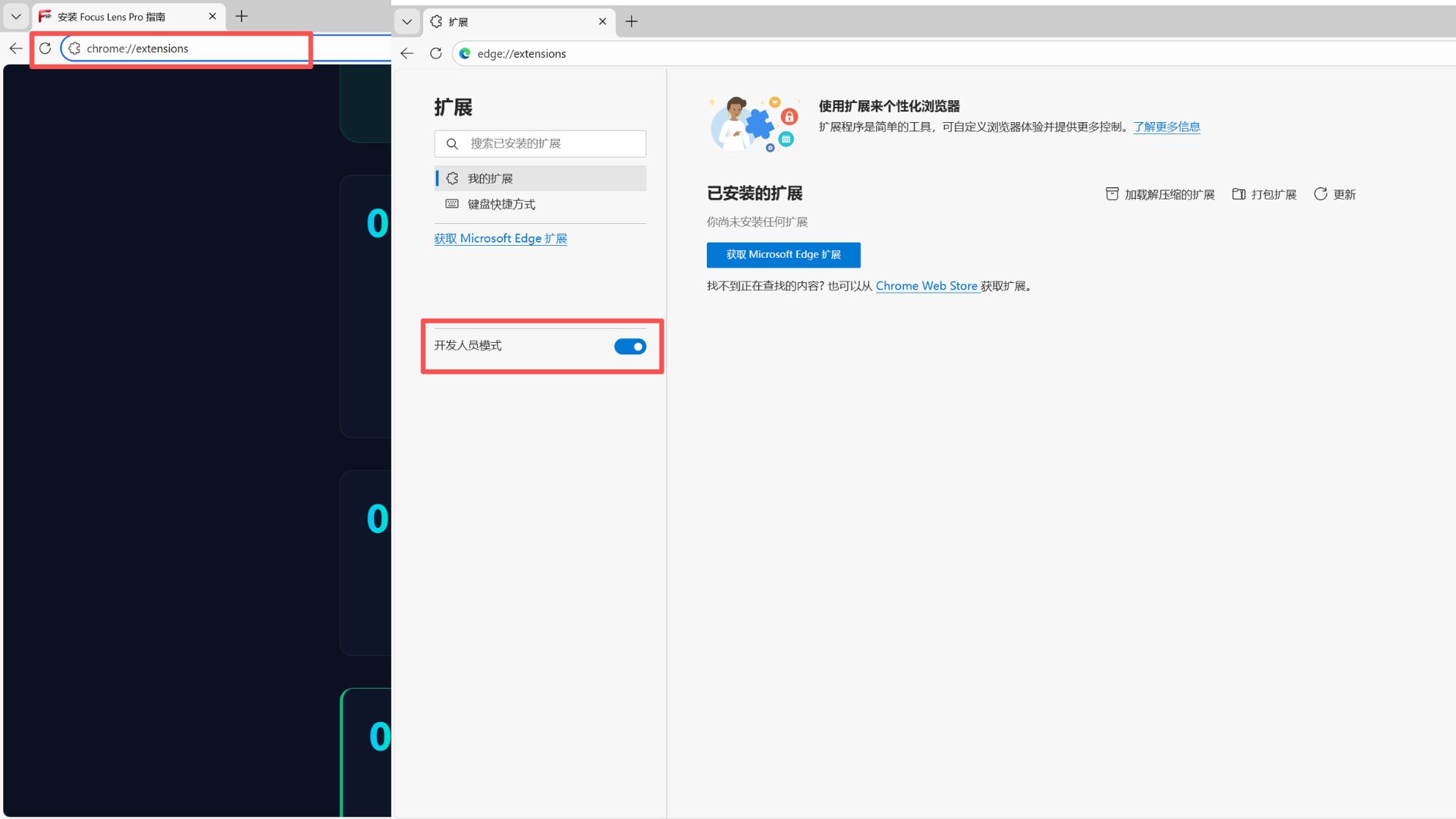
1. Open a new tab in Google Chrome or Microsoft Edge.
2. Copy and paste this into your address bar: chrome://extensions and press Enter.
3. In the top right corner of that page, find the "Developer Mode" toggle and turn it ON.
Load the Extension
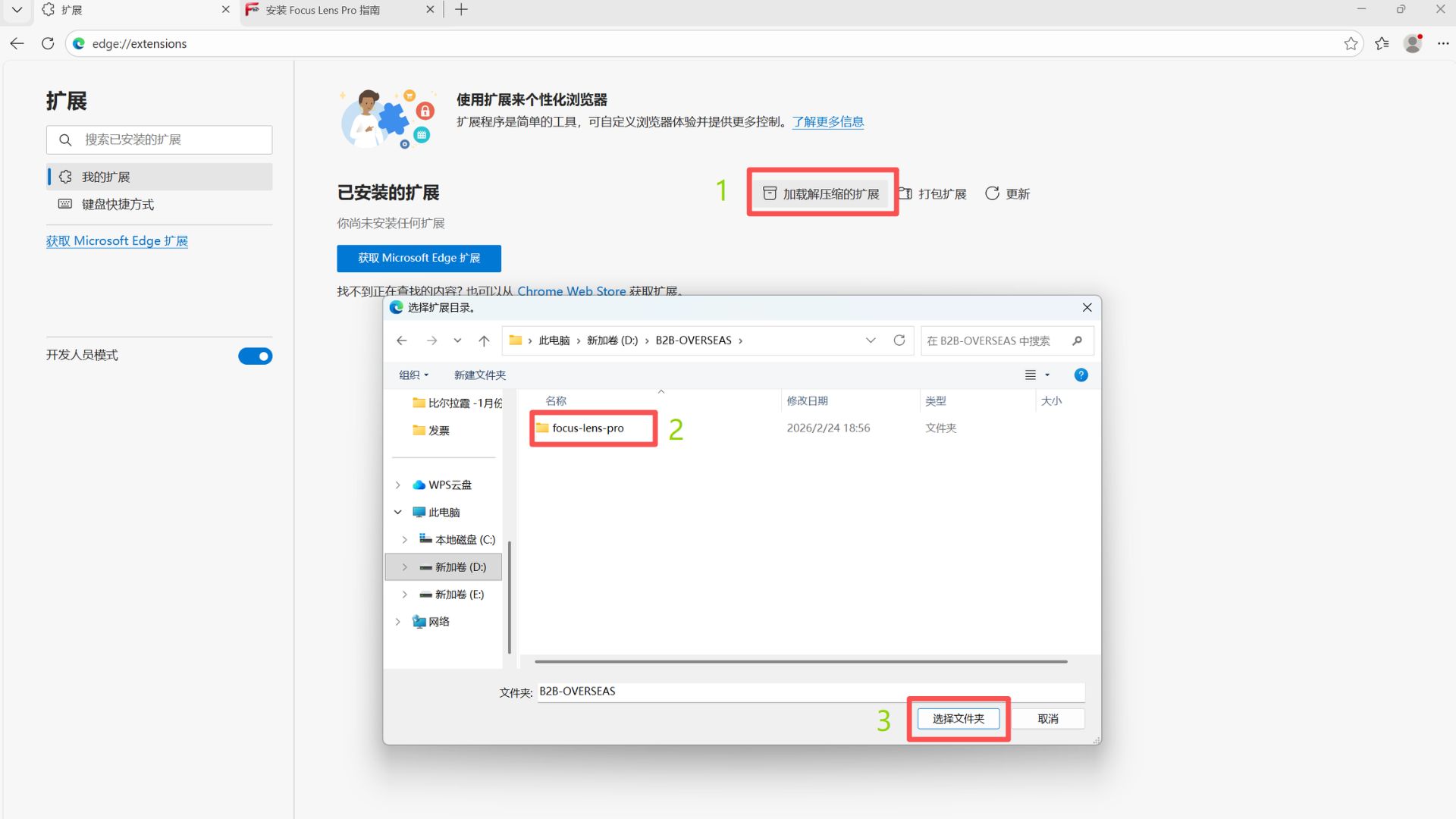
1. Click the button that says "Load unpacked" (usually on the top left).
2. A file window will open. Navigate to the folder you unzipped in Step 1.
3. Crucial: Select the main folder (the one containing manifest.json) and click "Select Folder".
Pin for Quick Access
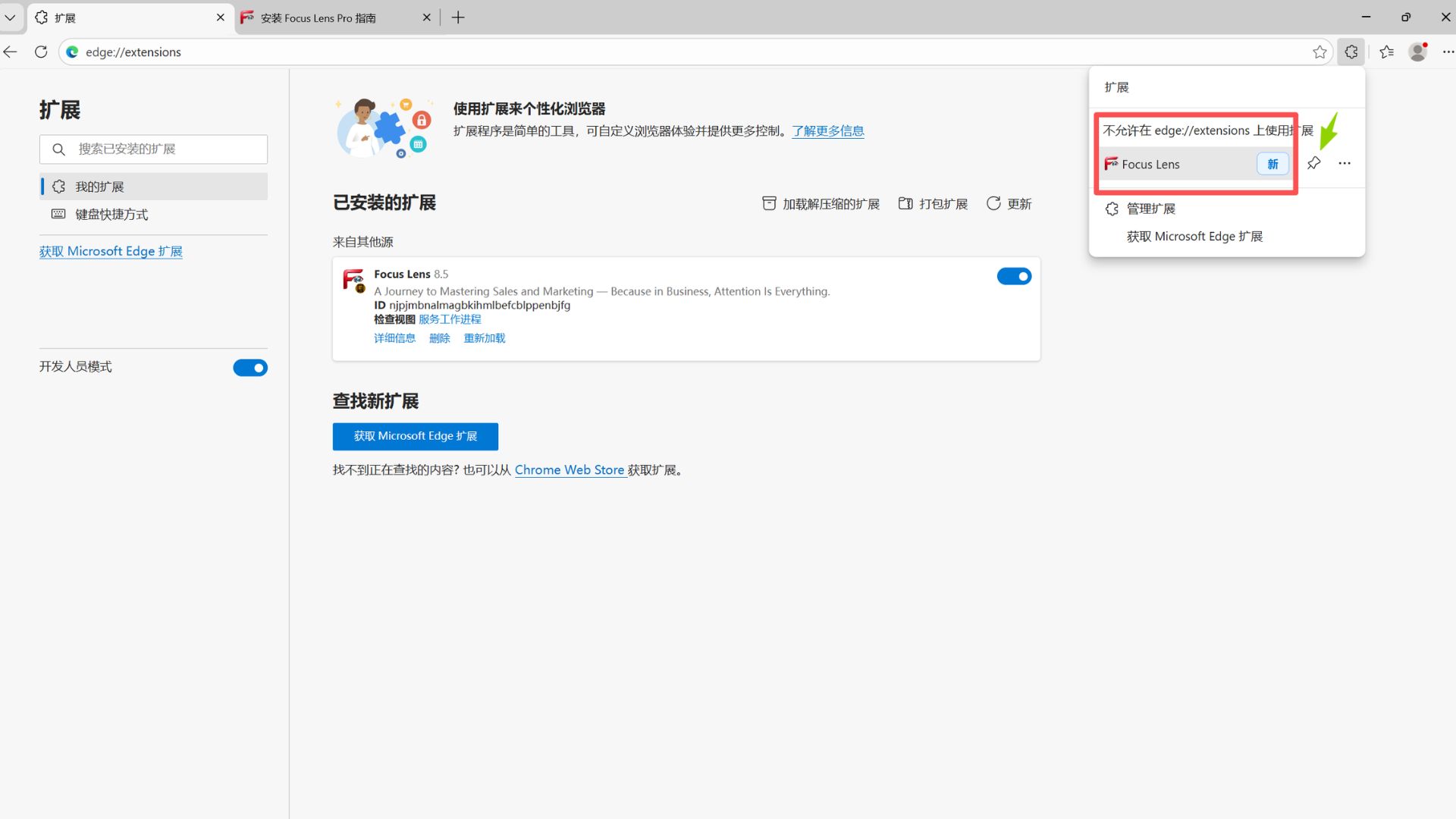
1. Click the "Puzzle Piece" icon next to your address bar.
2. Find Focus Lens Pro and click the "Pin" icon .
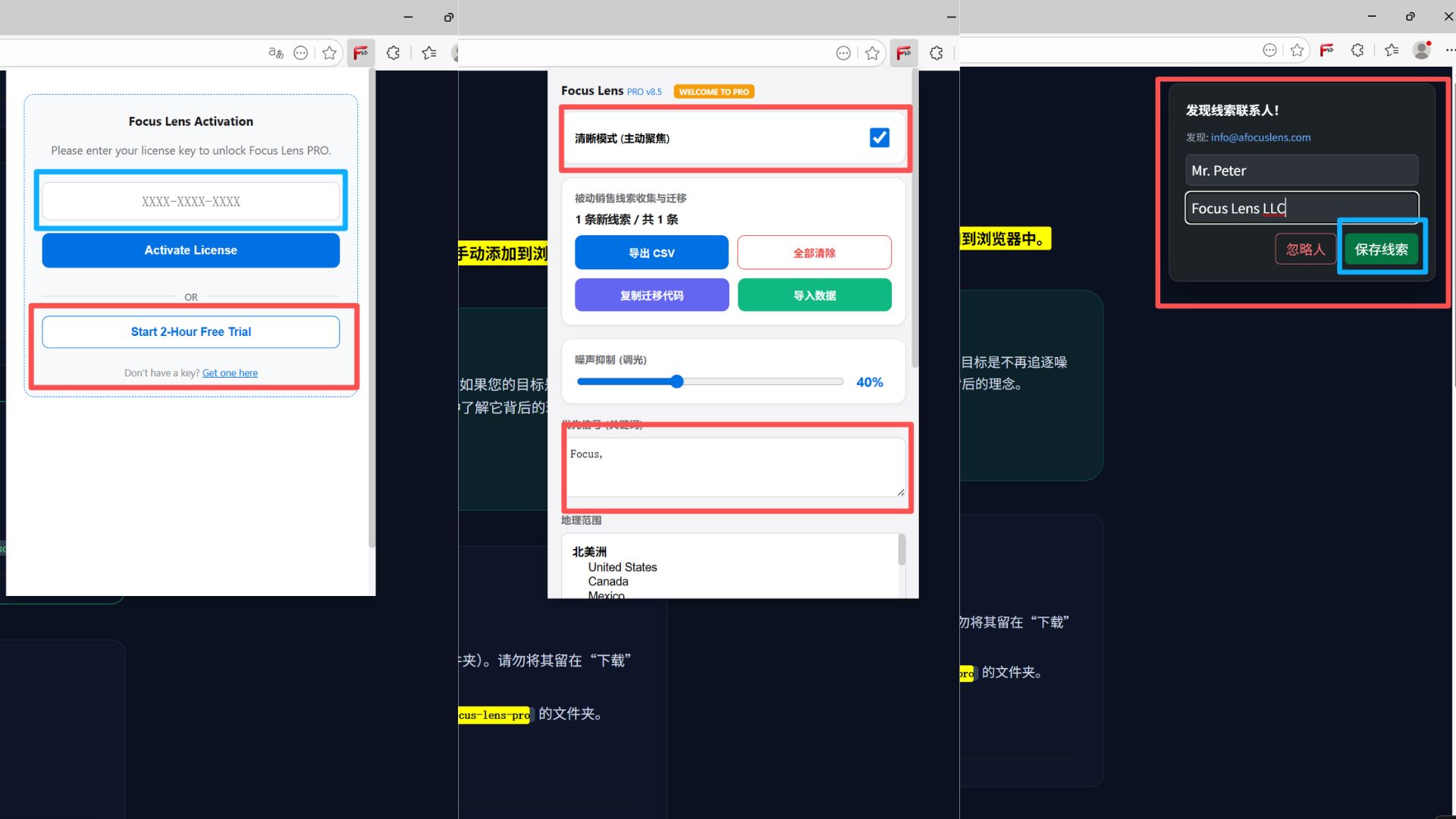
3. Now, click the Focus Lens Pro icon in your toolbar to enter your license key and start.
How to Activate & Use
1. Activation: Click the icon in your toolbar. Enter the license key you received and click "Activate".
2. Using the Tool: Visit LinkedIn or any supported B2B platform. The Focus Lens overlay will appear automatically on profiles.
3. Data Insights: Use the sidebar toggle to highlight high-value targets and view real-time intelligence data.
Need Help?
If you encounter an error saying "Manifest file is missing", you likely selected the wrong folder during Step 3. Ensure you select the folder that contains the manifest file.